Screen mirroring: a practical guide for TV viewers
This guide is for anyone who wants to watch IPTV on a television but is not sure whether to mirror a phone, cast from a tablet, or run an app directly on the TV. By the end, you will know which approach suits the devices you already own, what to check before you start, and where things typically go wrong.
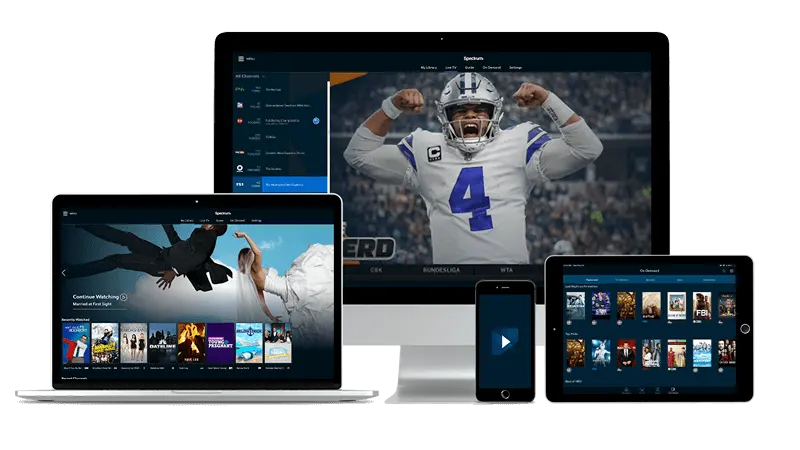
Mirroring versus running an app on the TV itself
Screen mirroring and running a dedicated app are two different things, and mixing them up leads to frustration.
Screen mirroring sends a copy of your phone or tablet's display to the television. Everything you see on your device appears on the screen. It works without the TV knowing anything about IPTV; the TV just acts as a large monitor.
Running a native app means the television itself does the work. Android TV, Google TV, and Fire TV Stick can all install IPTV Smarters Pro or similar players directly. The phone stays in your pocket. Picture quality is usually steadier this way because the stream travels from the internet straight to the TV rather than bouncing through a second device.
If your television runs Android TV or Google TV, or if you have a Fire TV Stick plugged in, start with the native-app route. Mirroring is most useful when the TV is a plain HDMI screen with no smart features, or when you want to share something quickly without digging into settings.
Check next: does your TV or streaming stick support app installation, or will you be mirroring from a phone?
Getting your devices ready
Whether you mirror or run a native app, the preparation is the same in one important respect: everything must be on the same Wi-Fi network. A phone on mobile data cannot mirror to a TV on your home broadband. A Fire TV Stick on a neighbour's guest network will not pair with your phone. Confirm this first.
For native app installs on Android TV or Fire TV Stick, open the device's app store, search for your IPTV player, and install it. IPTV Smarters Pro and IBO Player are both available this way. Once installed, you enter the credentials that arrive by email after you sign up — typically a server address, a username, and a password. TiviMate is worth considering if you watch on Android TV regularly; there is a fuller look at living with it in this walkthrough of TiviMate on the Android TV set.
For iPhone or iPad mirroring to an Apple TV or an AirPlay-compatible television, swipe into Control Centre and tap the screen mirroring button. The TV must have AirPlay switched on, usually found under the network or Apple settings menu.
For Android mirroring, the button is often labelled 'Cast' or 'Smart View', depending on the manufacturer. Some televisions accept this natively; others need a Chromecast dongle plugged into an HDMI port.
Check next: are both devices connected to the same network, and do you have your IPTV login details to hand?

What a poor connection looks like, and what to do
Mirroring is more sensitive to Wi-Fi quality than a native app, because two devices are involved instead of one. The most common symptom is a picture that stutters or freezes while audio continues. A spinning buffer icon that clears within a few seconds points to momentary congestion on the network; one that keeps returning suggests the signal is too weak.
A phone held in the same room as the router will almost always mirror smoothly. Move to a room where the Wi-Fi signal is marginal, and the same stream that played perfectly on the phone's own screen will stutter on the television. The fix is usually a Wi-Fi extender, a powerline adaptor, or — where possible — a short Ethernet cable from the router to the TV or streaming stick.
One thing worth ruling out: some routers have a feature called 'AP isolation' or 'client isolation' that stops devices on the same network talking to each other. This prevents mirroring and casting entirely. If your phone cannot find the TV at all, check the router's wireless settings for that option and turn it off.
Some televisions dim the screen or start a screen saver during long streams. That can interrupt mirroring unexpectedly; sorting out sleep timers and screen savers at home explains how to disable those settings without leaving the display on permanently.
Check next: does the stream play without issue on the phone alone, before you try casting it?
Choosing the right player for the screen
The player you use shapes what mirroring feels like. If you mirror from a phone, the app's interface fills the TV — including any notifications that appear while you watch. For a cleaner experience, enable 'Do Not Disturb' on the phone before you start, and set the display to stay on.
On a MAG box, there is no mirroring involved. The box connects directly to the portal and handles everything internally; the remote navigates the built-in portal interface. This is the tidiest setup for a living-room television because no secondary device is needed once the box is configured.
For households that have both a phone and an Android TV device, running Premium IPTV UK through a dedicated player on the TV and keeping the phone as a remote-style companion is a practical split. The TV carries the picture; the phone handles searching or browsing a guide.
Check next: have you confirmed the player is configured and playing before inviting others to watch?
Quick answers
- Can I mirror from an iPhone to a Samsung or LG smart TV without Apple TV?
Some Samsung and LG televisions support AirPlay directly, without needing an Apple TV box. Look in the TV's network or connection settings for an AirPlay option, enable it, then use screen mirroring from your iPhone's Control Centre. If the TV does not support AirPlay, you will need an Apple TV device or an alternative casting method.
- Does mirroring reduce the picture quality compared with a native app?
It can. A native app streams directly from the internet to the TV, while mirroring re-encodes the picture on the phone and sends it over Wi-Fi, which adds a small step that can soften the image or introduce lag. On a strong home network the difference is minor, but a native app on Android TV or Fire TV Stick is the more reliable route if the option is available.
- My TV finds the phone but the stream keeps dropping during mirroring. What should I check?
Start with the distance between the phone and the router, then check whether the router has client isolation enabled. After that, confirm the phone's screen-off timer is set to 'never' or a long interval, because the display going to sleep interrupts the mirror session. If those are all fine, try running the same stream as a native app on a streaming stick to isolate whether the issue is the network or the mirroring process itself.
- Do I need to stay near the TV while mirroring, or can I put the phone down?
You can put the phone down once mirroring is running, as long as the screen stays on and nothing interrupts the session. Enable Do Not Disturb to stop incoming calls or notifications from pulling you out of the app, and set the auto-lock to its longest interval or disable it entirely while you watch.