Late-night viewing on a Samsung TV with IBO Player
The screen is too bright, the sound creeps up without warning, and the remote feels like it makes more noise than the television. Late-night viewing on a Samsung smart TV has a handful of specific problems, and they are all solvable before you press play.
This guide covers getting IBO Player running on a Samsung smart TV and then adjusting the picture and audio so you can watch without disturbing anyone in the house. The service delivers its channels over your home broadband connection — no satellite dish, no cable socket, nothing to install beyond the app.
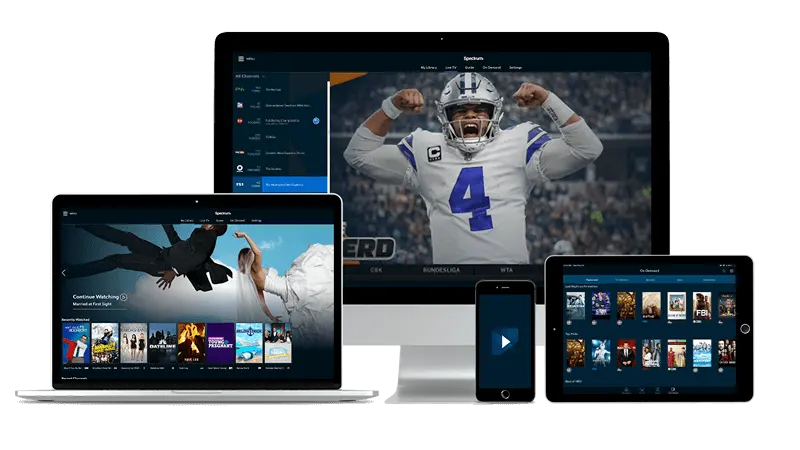
Installing IBO Player on your Samsung smart TV
Open the Samsung Smart Hub and go to the Apps section. Search for IBO Player by name and install it from there. The app is listed in the Samsung app store, so no sideloading or USB drive is involved.
When you open IBO Player for the first time, it shows two pieces of information on screen: a MAC address and a device key. Write both down or photograph them. These are what identify your television to the service — there is no username to type. When you receive your login details by email after payment, the activation is linked to that specific MAC and key pair. Once the account is active, re-open the app and it connects automatically.
If you are setting this up in a home office or a room away from the main router, a wired connection via an ethernet adaptor will give you steadier performance than Wi-Fi through walls. For a practical overview of streaming in a British home setup, the guide on setting up a TV corner in a home office covers the room and cable considerations in detail.
Turning the screen down without losing the picture
Samsung televisions default to a vivid or dynamic picture mode that is calibrated for a bright showroom, not a dark bedroom. At night, that setting is aggressive. Press Settings on the remote, go to Picture, and switch the picture mode to Movie or Filmmaker Mode if your model offers it. Both reduce the backlight and strip out the artificial sharpening that makes faces look strange in a dim room.
After switching modes, go into Expert Settings within the Picture menu and find Backlight or Local Dimming. Pull the backlight down manually — most people find somewhere in the lower third of the scale comfortable for a dark room. If your Samsung has an Ambient Light Detection setting (sometimes labelled ECO Sensor), turning it on lets the TV read the room light and adjust the brightness automatically as you shift a lamp or the sky outside changes.
One setting to switch off at night: Motion Smoothing, also called Auto Motion Plus. It introduces a soap-opera effect that is noticeable on filmed content, and the processing adds a small amount of input lag. Turn it off under Picture > Expert Settings > Auto Motion Plus, or set it to Custom with both the blur and judder reduction at zero.

Keeping the audio quiet and clear
Volume is the most common complaint from households watching late at night. The simplest fix is to use Sound > Sound Mode and switch from Standard to Voice or a dialogue-focused setting. This reduces the bass that travels through walls and floors while keeping speech intelligible at a low volume.
If your television is connected to a soundbar via HDMI ARC, check whether the soundbar has a Night Mode. Most do, and it compresses the dynamic range so that a quiet conversation and a sudden noise play at closer to the same level. That prevents the volume jump that wakes people up. On the Samsung itself, you can also enable Volume Levelling (sometimes labelled Auto Volume) under Sound > Expert Settings — it smooths out the differences between channels and reduces the shock of a dramatic scene cutting in loudly.
Wired headphones or a Bluetooth headset connected via the Samsung's Sound Output setting give you full audio privacy. Go to Settings > Sound > Sound Output, switch it to Bluetooth Speaker List, and pair your device. The television speaker goes silent.
Remote and UI habits that help at night
The Samsung remote's button clicks are quieter than older infrared remotes, but the TV itself can make noise. Go to Settings > General > System Manager > Sound Feedback and turn it off, or set it to minimum. The menu selection sounds are clearly audible in a quiet room.
Inside IBO Player, the channel list is navigated with the directional pad. If you are browsing for something to watch, the preview audio on some channel tiles plays automatically — if that is waking people, the simplest approach is to have your destination ready before you open the app: note the channel category and position from an earlier session, and go straight there.
For households new to streaming television without a traditional contract, the article on property and home channels available after leaving a contract is a useful reference for what to expect from the channel range. If you are setting this up away from a large city, the piece on streaming TV in Norwich shows how the service performs on a standard broadband connection in a typical British town. You can also read more about what the service offers on the Premium IPTV UK home page.
When the picture or sound drops mid-session
A brief freeze or audio dropout at night is almost always a router issue rather than a service problem. Many home routers throttle background traffic or run scheduled maintenance in the small hours. If your router has a QoS (Quality of Service) setting, giving the Samsung TV's MAC address a high-priority allocation keeps the stream stable even when other devices on the network are active.
If the picture breaks up regularly at a certain time, try restarting the router before your viewing session rather than after the problem appears. A router that has been running for weeks accumulates connection state that can slow it down. A quick restart — a moment of patience while it reconnects — often resolves intermittent evening dropouts entirely.
Check also that the TV's firmware is up to date. Samsung pushes updates that sometimes improve the network stack on older models. Go to Settings > Support > Software Update > Update Now. It is worth doing this during the day, not in the middle of a late-night session, since the TV will restart.
Quick answers
- Do I need to type a username or password into IBO Player on my Samsung TV?
No. IBO Player on a Samsung smart TV identifies itself using the MAC address and device key that the app displays on screen. Your account is linked to that pair when you sign up, so the app connects without any typed credentials.
- The screen is still too bright even after changing the picture mode. What else can I try?
Go into Picture > Expert Settings and reduce the Backlight value directly. If your model has a Brightness Limiter option, lowering that as well gives finer control than the picture mode presets alone.
- Can I watch through Bluetooth headphones so the TV speaker is silent?
Yes. Go to Settings > Sound > Sound Output on your Samsung and select Bluetooth Speaker List to pair your headphones. Once paired, the internal speakers mute and all audio routes to the headphones.
- Where do I find my MAC address and device key if I closed the app before noting them down?
Open IBO Player again and return to the main activation screen — both values are displayed there every time you launch the app before activation, and also in the app's settings menu after setup is complete.